XPU Live · Voice AI on the edge
Speak. Watch it run on the edge.
Your question goes through a denoiser, speech recognition, a small language model and a voice. Each one is an open model of your choice, on the processor of your choice: our own edge AI machine or the NVIDIA Jetson edge board beside it, with no cloud AI. Each block lights up as it runs, with the processor it ran on and how long it took.
- Open modelPublished by its authors, used as is
- PortPyTorch with CUDA, ONNX Runtime, llama.cpp and whisper.cpp
- Run on an XPUGraphics card, CPU cores or the Jetson board
- MeasureLatency, power, energy and size, live
Checking the machine…
Choose the hardware
Three processors: an NVIDIA Jetson edge board, and beside it our edge machine with a graphics card and Intel CPU cores. The buttons on each are the stages it can run. Click a card to move every stage it can run onto it.
Pick the open models
Models marked “loads on first use” take a few seconds the first time. That time is shown separately and not counted in the stage timings.
Ask it something
Hold the button (or the space bar) while you speak, up to 20 seconds. Click once to start and again to stop also works.
-
1
Denoise
Cleans noise out of your voice
-
2
Speech recognition
Turns speech into text
-
3
Language model
Writes the answer
-
4
Voice
Speaks the answer
You said
—
Answer
—
Compare the denoisers
Run your last recording through every denoiser and listen side by side. A noisy room makes the difference clearer.
The hardware
Real chips, measured live
- Edge machine
- Intel Core Ultra 7 265 with 20 CPU cores, plus an NVIDIA GeForce RTX 5060 Ti graphics card with 8 GB.
- Edge board
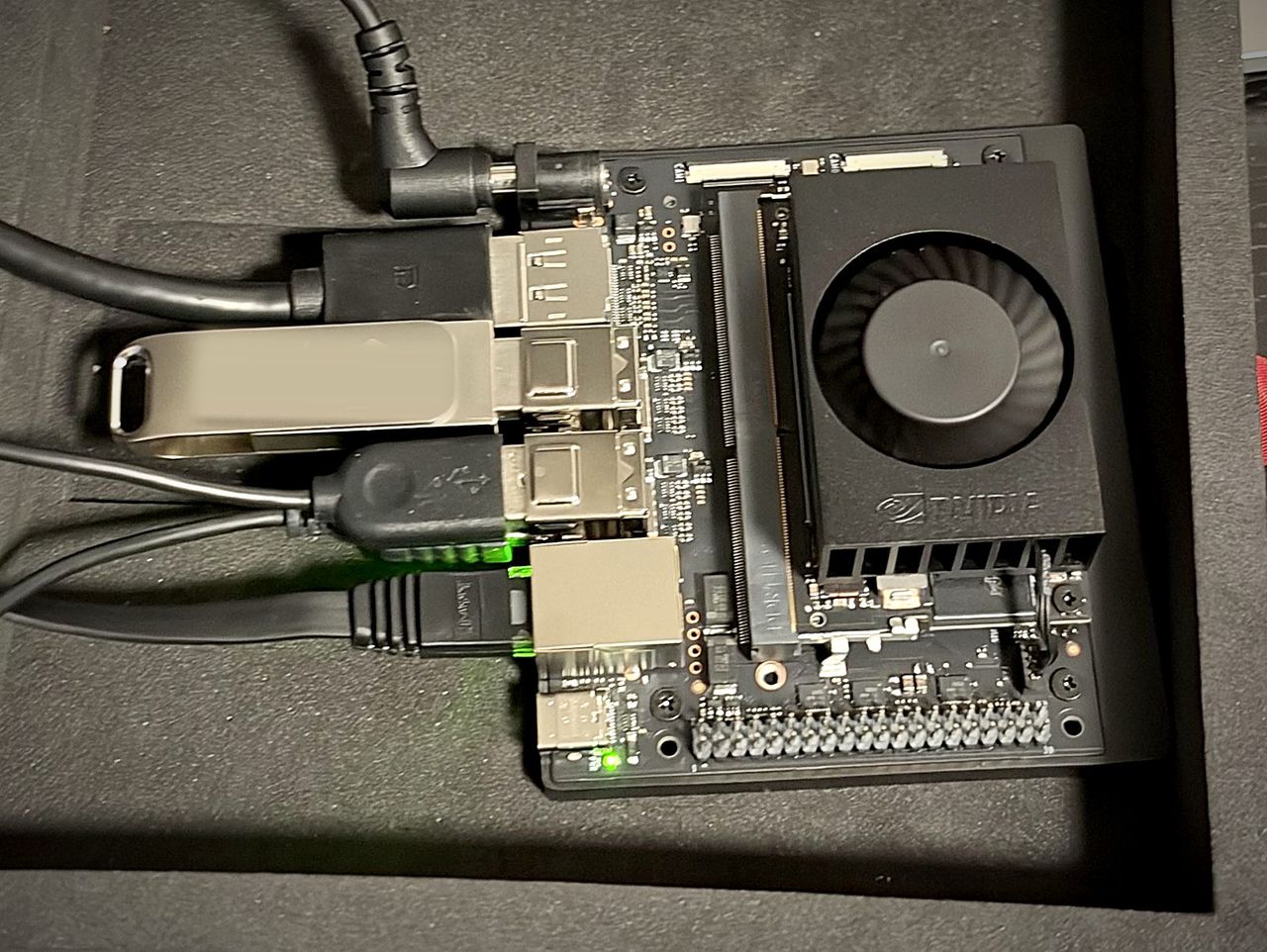
- NVIDIA Jetson Orin Nano Super: a 6-core Arm® Cortex®-A78AE v8.2 64-bit CPU with 1.5 MB L2 + 4 MB L3 cache, and a 1,024-core Ampere GPU, sharing 8 GB of LPDDR5, from 7 to 25 W. It sits beside the machine on the local network.
- Toolchains
- PyTorch with CUDA on the graphics card; PyTorch and ONNX Runtime on the CPU cores; llama.cpp and whisper.cpp with CUDA on the Jetson.
- Power
- Read from each chip’s own sensor: the graphics card, the Intel processor package, or the Jetson board’s input.
What we do
We port, we don’t train
Every model here is an open model, used as its authors published it. Our work is getting each one running on each processor and offering it here.
Your choice at every stage
The four stages do not have to share a processor. Keep the voice on the graphics card and move speech recognition and the language model to the Jetson, and see what changes.
Measured, not quoted
Each stage shows the processor it ran on, how long it took, the power the chip’s own sensor reads and the energy it used. Nothing is a figure from a data sheet.